
Your Git history,
live beside the chat
Branchline is a Claude Code plugin that draws your repository's branches, tags and HEAD in a pane next to the conversation, and shows how every branch stands against main. It updates by itself as you and Claude commit, merge and switch.
/plugin install git-branchline --marketplace dvalfrid/git-branchline
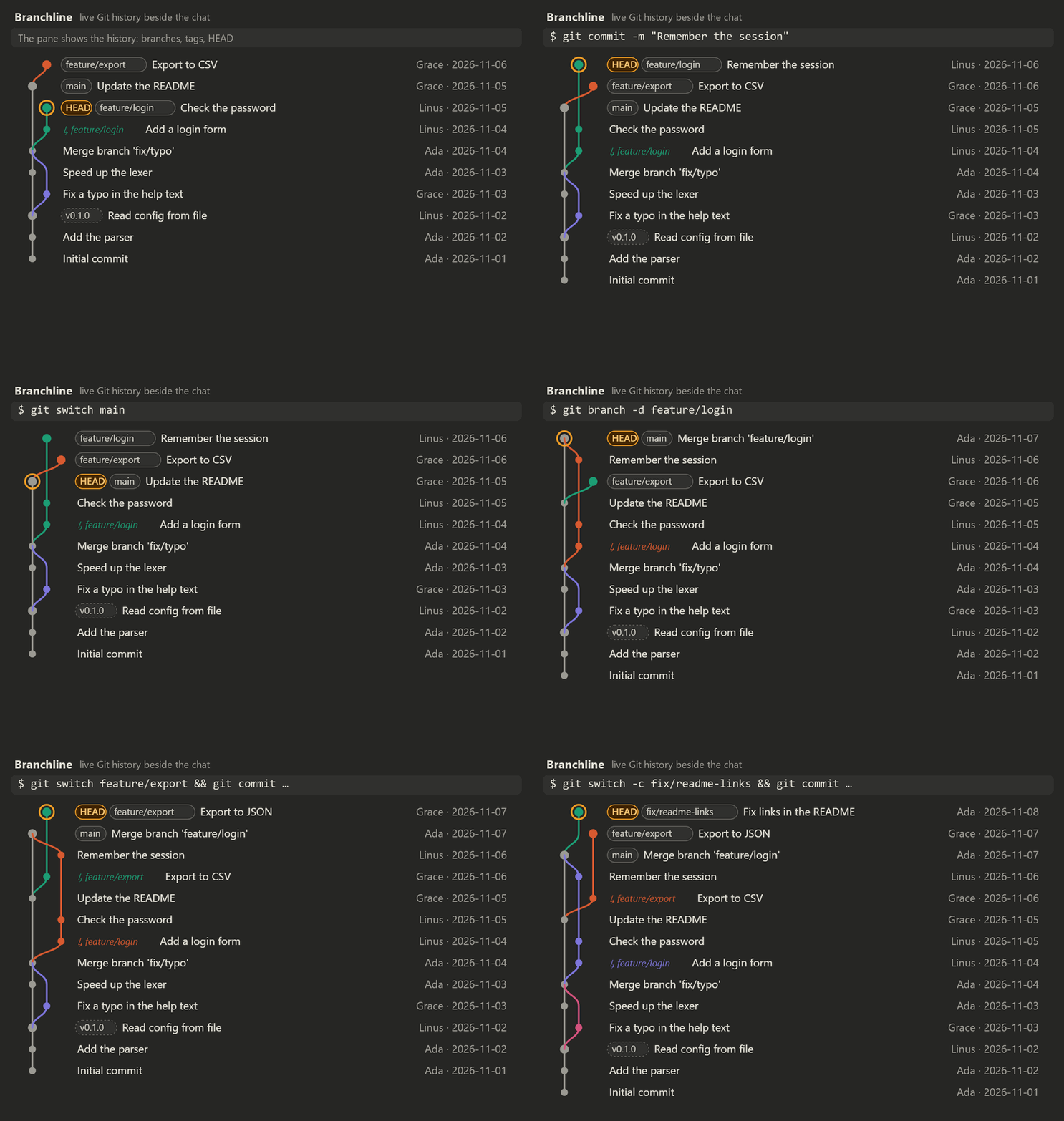
The graph as Branchline draws it, following a repository through commits, a merge and new branches.
What you get
Made for the Claude desktop app, with a text fallback for the terminal.
Graph tab
The commit graph colored by branch, with ref pills, HEAD ringed and tooltips on hover. Quiet stretches fold into one row when the graph does not fit.
Branches tab
Branches grouped as Active, Local and remote, Remote only and Old local, with age, ahead/behind bars and status.
Open a branch
See its commits and most changed files, ask Claude about it, copy its name, or clean it up.
Always current
Reads again after every git command Claude runs, and notices changes from a terminal or another Git client within seconds.
One click away
A row above the prompt shows the checked-out branch and opens the pane. /branchline does the same.
Terminal too
In a terminal session the graph is drawn as text in the style of git log --graph.
It only reads
Branchline never fetches, checks out or pushes. The one exception: it can delete a merged local branch with git branch -d, which refuses unmerged work, after you press twice. Anything else, such as force-deleting a branch or deleting one on a remote, is handed to Claude as a prompt for you to send.
Install
Requires Git on PATH. Git 2.41 or later is fastest.
Claude Code terminal
/plugin install git-branchline --marketplace dvalfrid/git-branchline
- Answer
yto add the marketplace. - Pick user scope to load it in every session.
Claude desktop app
- Click + next to the prompt box, then Plugins.
- Add marketplace:
dvalfrid/git-branchline. - Add plugin: Branchline.
From a shell
claude plugin install git-branchline --marketplace dvalfrid/git-branchline